
Where Wallpaper Engine Wallpapers Are Saved and How to Back Them Up
Find a wallpaper’s files, keep a local backup and remove Workshop downloads without making Steam download them again.
Reviewed and updated September 2026
Find the files for one wallpaper
This opens that wallpaper’s folder in File Explorer. Use it when you want to find one wallpaper without searching through a long list of numbered folders.
Find the full Workshop folder
Downloaded wallpapers are in steamapps\workshop\content\431960 inside your Steam library. Each numbered folder inside is one wallpaper.
Default location: C:\Program Files (x86)\Steam\steamapps\workshop\content\431960. For a different Steam library, change the start of the path.
- Click Browse to open the wallpaper_engine installation folder.
- Go up through common to steamapps, then open workshop, content and 431960.
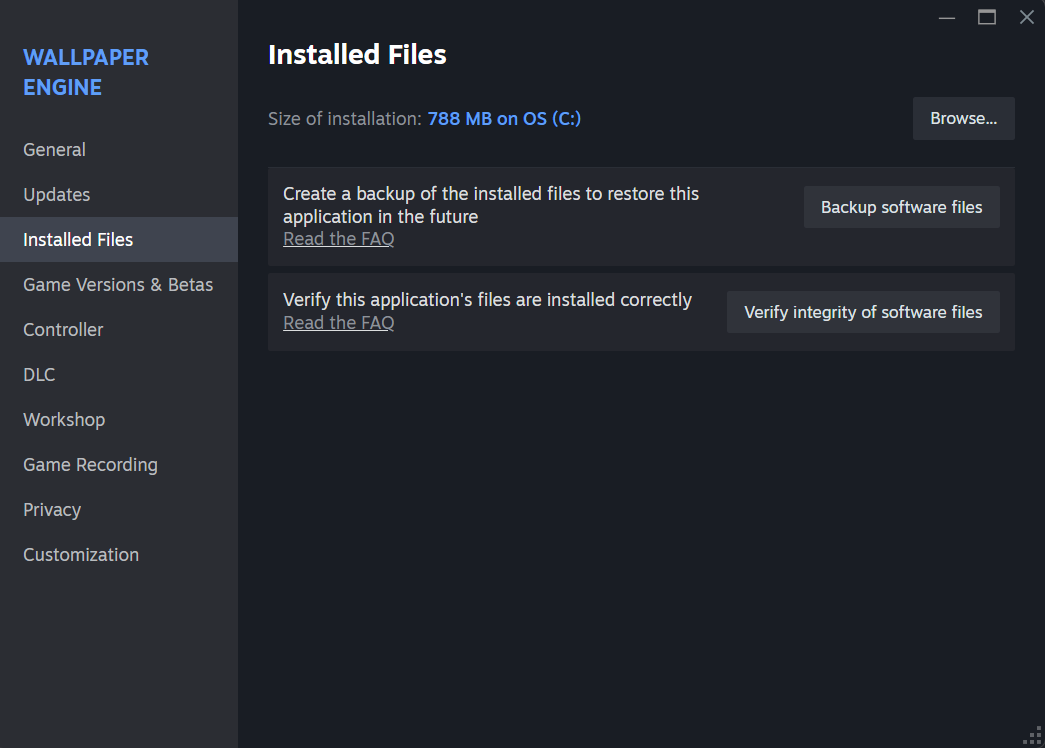
Make a backup Wallpaper Engine can use
- Copy the complete 431960 folder into wallpaper_engine\projects. Leave the original in place.
- Rename the copy to backup, with the numbered wallpaper folders directly inside it.
- Restart the wallpaper browser and test the backup copies.
| Folder | What belongs here |
|---|---|
| steamapps\workshop\content\431960 | Steam’s downloaded Workshop wallpapers |
| steamapps\common\wallpaper_engine\projects\backup | Your copied wallpapers, outside the Workshop download folder |
Folder example: a wallpaper from 431960\1234567890 should end up in projects\backup\1234567890. The number is an example; keep your wallpapers’ own folder names. Do not leave another 431960 folder inside backup.
Remove a Workshop wallpaper without a download loop
Unsubscribe and let Steam remove the download. Deleting the Workshop folder by hand can make Steam download everything again. Test your backup before unsubscribing.
Does a backup give me an editable project?
Not necessarily. A downloaded Scene wallpaper is packaged for playback. Saving a copy does not turn it into the creator’s original editor project. Video wallpapers contain video files; Web wallpapers use web files.
For a wallpaper you created yourself, keep the original project files too. A Workshop copy should not be your only copy of the work.